Freshet

Logo

Thaw any JSON URL into a more useful page. Liquid templates per URL pattern — fields surfaced, statuses colored, IDs linkified.

View the Project on GitHub MattAltermatt/freshet

Thaw any JSON URL into a more useful page

Five live demos — fields surfaced, statuses colored, IDs turned into clickable links. JSON in. Page out.

What Freshet does — three things, automatically

  1. Matches the URL you visit against your rule (e.g. pokeapi.co/api/v2/pokemon/*).
  2. Reads the JSON the API already returned — no extra request, no proxy, no copy-paste.
  3. Renders your Liquid template against that JSON, replacing the page in-place with a real dashboard.

Different from the LiquidJS playground: the playground is a one-shot render of JSON you paste. Freshet runs every time you visit a matching URL — the dashboards become part of your normal browsing. The same template + a real API response = a useful page with actionable links, every visit.

Service Health

mattaltermatt.github.io/freshet/examples/services/* Active out of the box
Template service-health.html + JSON from the URL on the left = the rendered card on the right — every visit, automatic.

Raw JSON

{
  "name": "Payments",
  "slug": "payments",
  "status": "degraded",
  "uptime30d": 99.92,
  "lastIncidentAt": "2026-04-18T14:22:00Z",
  "oncall": { "name": "Priya Raman", "handle": "@priya" },
  "dependencies": [
    { "name": "Postgres (primary)", "status": "operational" },
    { "name": "Redis (rate-limit)", "status": "degraded" }
  ],
  "recentIncidents": [
    { "id": "INC-2026-001", "title": "Elevated 5xx on /charge…",
      "severity": "sev-2", "openedAt": "2026-04-18T14:22:00Z",
      "resolvedAt": null }
  ],
  "repo": "example/payments-service"
}

Freshet output
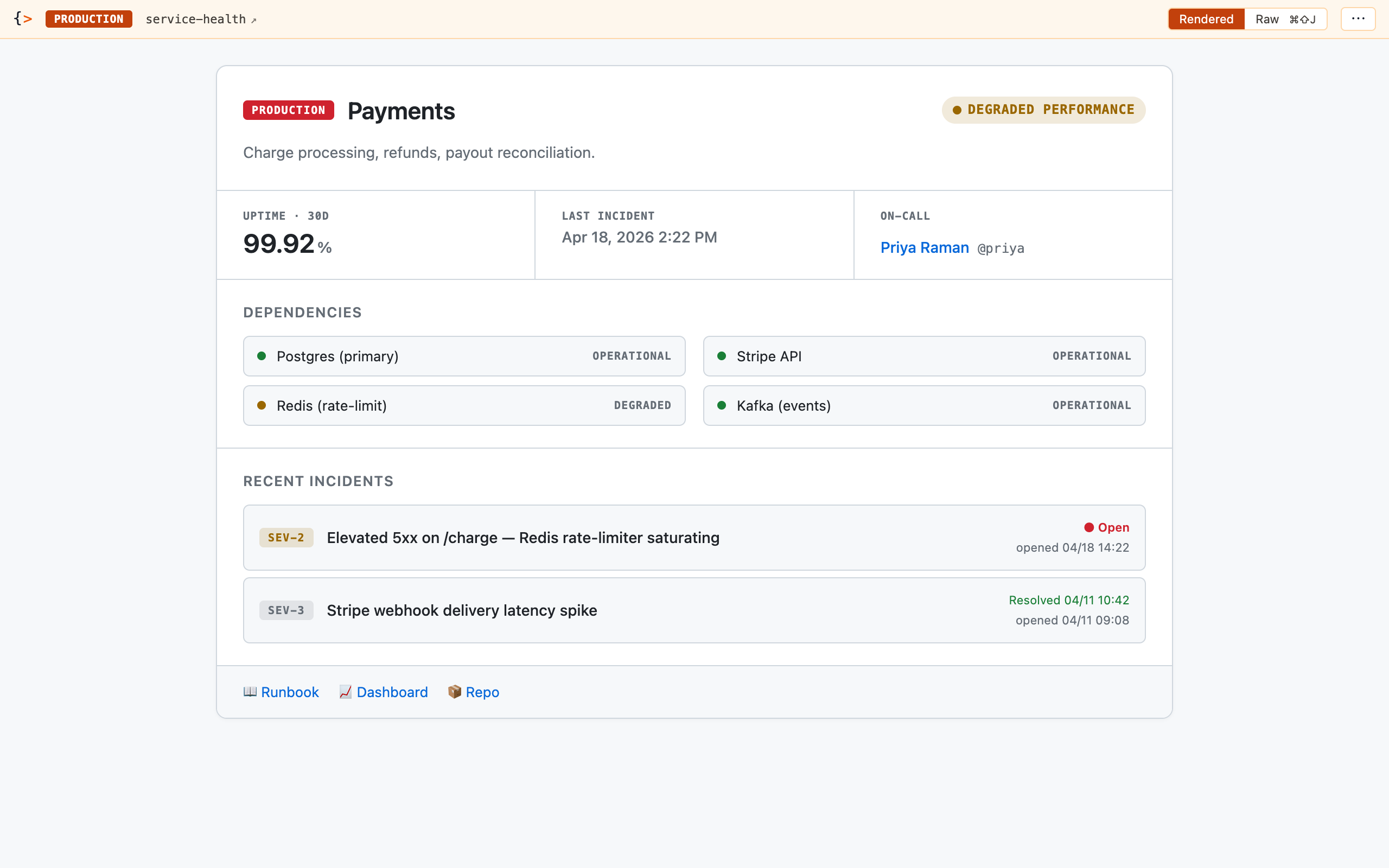
Service Health card rendered by Freshet — Payments service with PRODUCTION env chip, status pills, dependencies grid, and recent incidents
Try it live → Click → Freshet renders the styled SRE-style health card. The recent-incidents list is clickable; each row navigates to the incident-detail demo below.
Incident Detail

mattaltermatt.github.io/freshet/examples/incidents/* Active out of the box
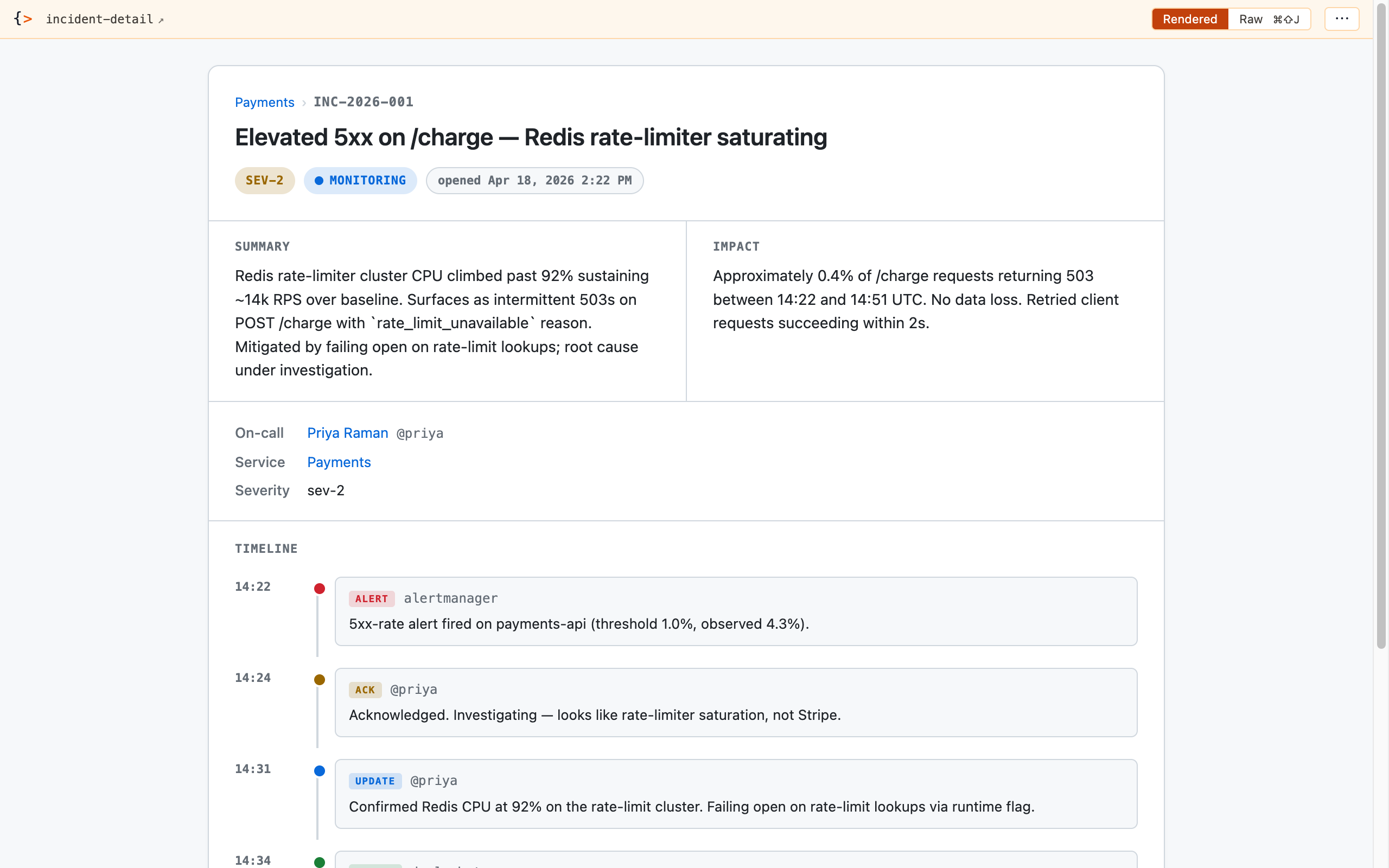
Template incident-detail.html + JSON from any incident URL = the timeline on the right. The breadcrumb + related-incident links are built from IDs, not URL fields.

Raw JSON

{
  "id": "INC-2026-001",
  "title": "Elevated 5xx on /charge — Redis rate-limiter saturating",
  "severity": "sev-2",
  "status": "monitoring",
  "openedAt": "2026-04-18T14:22:00Z",
  "service": { "name": "Payments", "slug": "payments" },
  "oncall": { "name": "Priya Raman", "handle": "@priya" },
  "timeline": [
    { "at": "…14:22:00Z", "author": "alertmanager",
      "kind": "alert",  "message": "5xx-rate alert fired…" },
    { "at": "…14:24:30Z", "author": "@priya",
      "kind": "ack",    "message": "Acknowledged. Investigating…" },
    { "at": "…14:34:45Z", "author": "deploybot",
      "kind": "deploy", "message": "Flag rolled to 100%…" }
  ]
}

Freshet output

Incident detail page rendered by Freshet — INC-2026-001 with severity + status chips, summary + impact cards, and a kind-coded timeline rail
Try it live → Renders the incident with a kind-coded timeline rail (alert ▸ ack ▸ deploy ▸ update). Breadcrumb back to service is built from service.slug alone — no URL field in the JSON.

GitHub Repo

api.github.com/repos/*/* Inactive by default
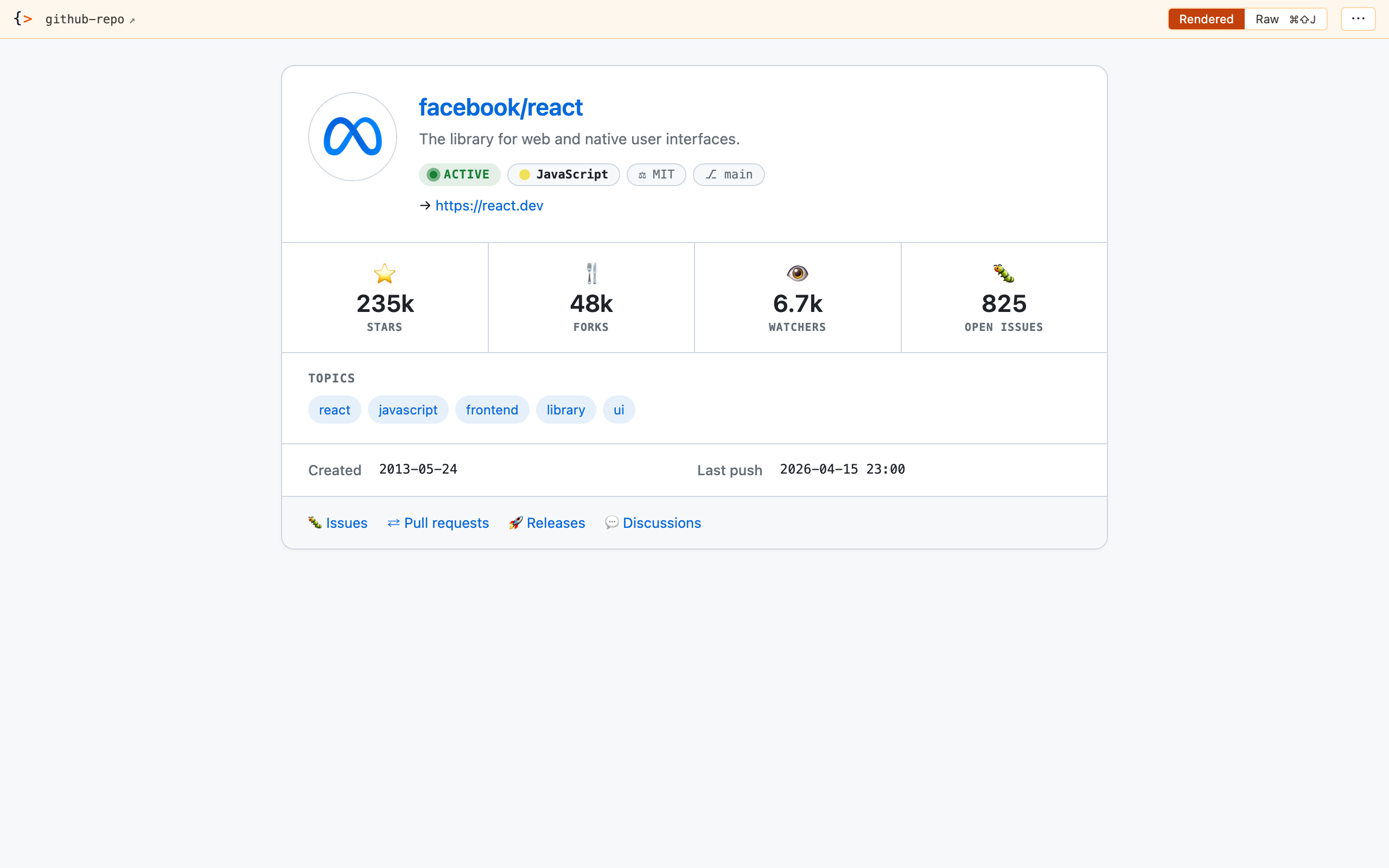
Template github-repo.html + GitHub's real API response = the repo card on the right. Issues / PRs / Releases / Discussions footer links built from full_name alone.

Raw JSON (truncated)

{
  "full_name": "facebook/react",
  "description": "The library for web and native user interfaces.",
  "stargazers_count": 234567,
  "forks_count": 47890,
  "open_issues_count": 825,
  "language": "JavaScript",
  "license": { "name": "MIT License", "spdx_id": "MIT" },
  "topics": ["react", "javascript", "frontend", "library", "ui"],
  "owner": { "login": "facebook",
             "avatar_url": "https://avatars.…" },
  "pushed_at": "2026-04-15T23:00:00Z",
  "archived": false
}

Freshet output

GitHub repo card rendered by Freshet — facebook/react with Active pulse, JavaScript language chip, stat tiles, topic chips, and Issues/PRs/Releases footer
Try it live →
How to activate
  1. Open Freshet → OptionsRules tab.
  2. Find api.github.com / /repos/*/* in the list (it has an "Example" pill).
  3. Flip the toggle on, then click "Try it live" above.

Pokémon (PokéAPI)

pokeapi.co/api/v2/pokemon/* Inactive by default
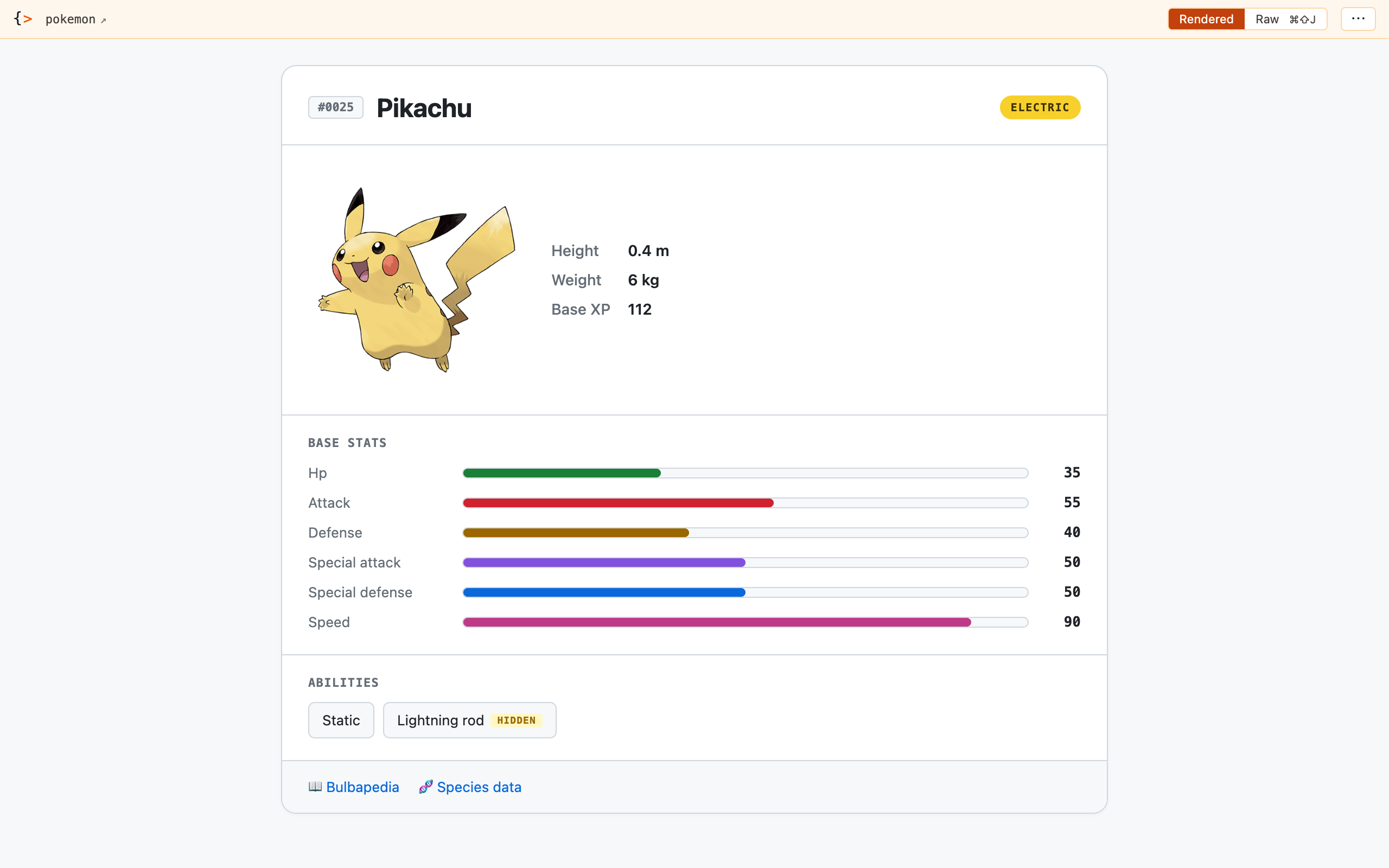
Template pokemon.html + PokéAPI's real response = the styled card on the right. Bulbapedia link built from name alone.

Raw JSON (truncated)

{
  "id": 25,
  "name": "pikachu",
  "height": 4,
  "weight": 60,
  "types": [{ "type": { "name": "electric" } }],
  "abilities": [
    { "ability": { "name": "static" },        "is_hidden": false },
    { "ability": { "name": "lightning-rod" }, "is_hidden": true  }
  ],
  "stats": [
    { "base_stat": 35, "stat": { "name": "hp"     } },
    { "base_stat": 90, "stat": { "name": "speed"  } }
  ],
  "sprites": { "other": { "official-artwork": {
    "front_default": "https://…/25.png" } } }
}

Freshet output

Pokémon card rendered by Freshet — Pikachu with official artwork, electric type chip, color-coded stat bars, and abilities list
Try it live →
How to activate
  1. Open Freshet → OptionsRules tab.
  2. Find pokeapi.co / /api/v2/pokemon/* in the list (it has an "Example" pill).
  3. Flip the toggle on, then click "Try it live" above.

Countries (REST Countries)

restcountries.com/v3.1/name/* Inactive by default
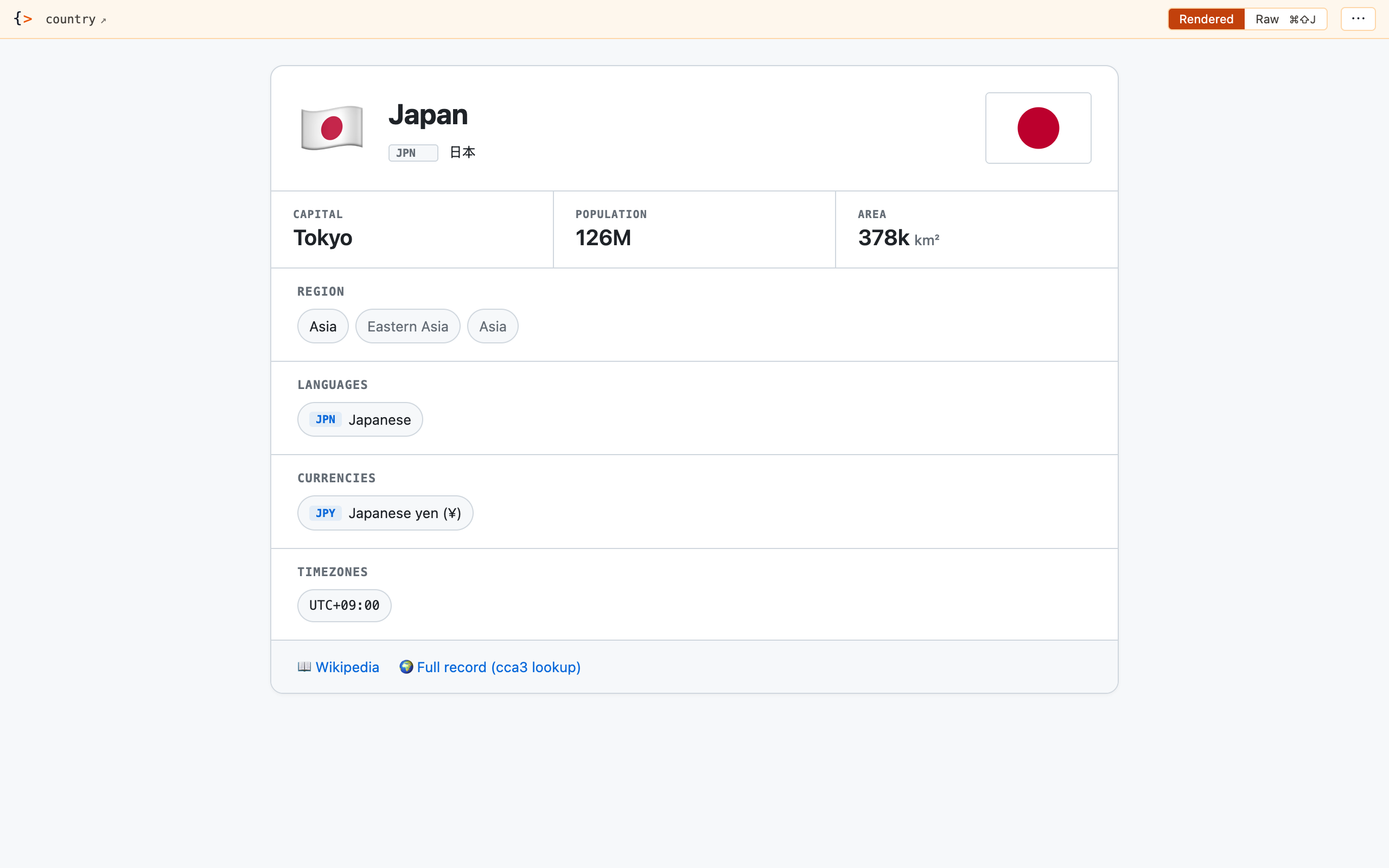
Template country.html + REST Countries' top-level array response = the country card on the right. Wikipedia link built from name.common alone.

Raw JSON (truncated)

[{
  "name": { "common": "Japan", "official": "Japan",
            "nativeName": { "jpn": { "common": "日本" } } },
  "capital": ["Tokyo"],
  "region": "Asia",
  "subregion": "Eastern Asia",
  "population": 125836021,
  "area": 377930,
  "languages": { "jpn": "Japanese" },
  "currencies": { "JPY": { "name": "Japanese yen", "symbol": "¥" } },
  "flag": "🇯🇵",
  "flags": { "svg": "https://flagcdn.com/jp.svg" },
  "timezones": ["UTC+09:00"]
}]

Freshet output

Country card rendered by Freshet — Japan with flag emoji + SVG, native name, capital/population/area metrics, and language/currency chips
Try it live →
How to activate
  1. Open Freshet → OptionsRules tab.
  2. Find restcountries.com / /v3.1/name/* in the list (it has an "Example" pill).
  3. Flip the toggle on, then click "Try it live" above.

REST Countries returns a top-level array of matches. Freshet exposes array-root JSON as items, so the template's first line is {% assign c = items[0] %} — predictable handle for the rest of the markup.


← Back to Freshet home